Hardware
-
 Fizz
Fizz
-
 Gush 2 Motion
-
 Extension Rod Kit
-
 Ambi
Ambi
-
 Calor
Calor
-
 Diamo
Diamo
-
 Dolce
Dolce
-
 Domi 2
-
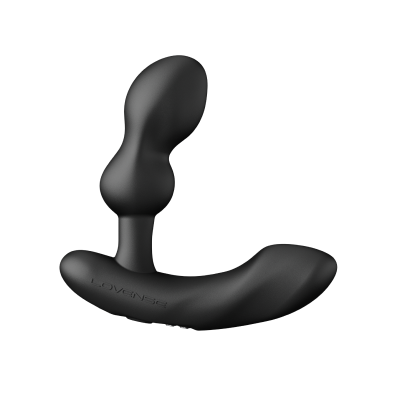
 Edge 2
-
 Exomoon
-
 Ferri
Ferri
-
 Flexer
-
 Gemini
-
 Gravity
-
 Gush
Gush
-
 Gush 2
-
 Hush
Hush
-
 Hush 2
-
 Hyphy
Hyphy
-
 Kraken
-
 Lapis
Lapis
-
 Lovense Mini Sex Machine
-
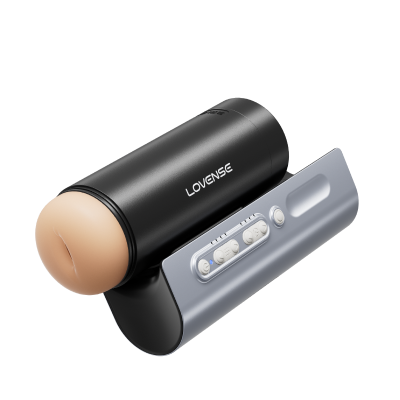
 Lovense Sex Machine
-
 Lovense USB Bluetooth Adapter
-
 Lovense Webcam
-
 Lovense Webcam 2
-
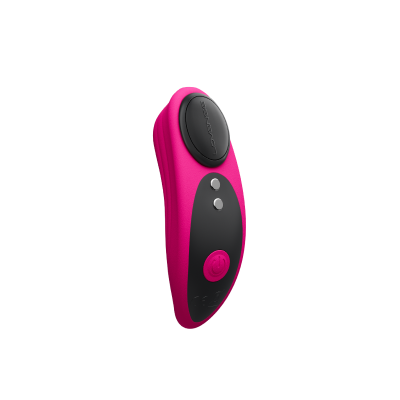
 Lush 3
-
 Lush 4
-
 Lush Mini
-
 Lush Anal
-
 Max 2
Max 2
-
 Mission 2
-
 Nora
Nora
-
 Osci 2
-
 Osci 3
-
 Ridge
Ridge
-
 Solace
-
 Solace Pro
-
 Spinel
-
 Tenera 2
-
 Vulse
Vulse
-
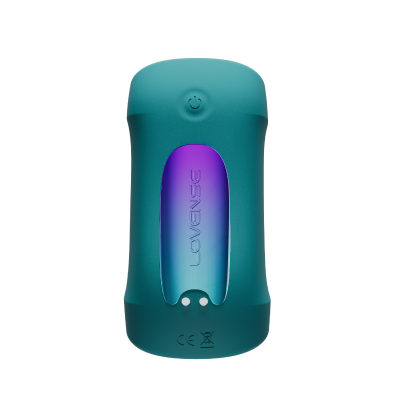
 Velvo
Velvo
Shipping
Warranty / Returns / Refunds / Replacements
Privacy
Lovense Cam Models FAQ
Hardware:Velvo
Velvo
-
1. How do I download Lovense Remote?
Lovense Remote is available for iOS, Android, Mac, and Windows. Please click here to download the version you need. You can also download Lovense Remote from the iOS App Store or the Google Play Store.
Not helpful HelpfulYour nameYour emailRe-enter your emailYour Question0/1000
(optional)jpg/png/gif/bmp
(0/5)(optional)Upload a video
By clicking the Send button below, you hereby agree to and accept our Terms and Conditions and Privacy Policy
-
2. Which devices work with this app?
Lovense Remote is compatible with devices that run:
•iOS 14.2 and later
•Android 5.0 and later (with Bluetooth 4.0 enabled)
•Mac (with Bluetooth 4.0 enabled)
•Windows PC (requires a Lovense USB Bluetooth Adapter to connect)Not helpful HelpfulYour nameYour emailRe-enter your emailYour Question0/1000
(optional)jpg/png/gif/bmp
(0/5)(optional)Upload a video
By clicking the Send button below, you hereby agree to and accept our Terms and Conditions and Privacy Policy
-
3. What toys work with this app?
All Lovense toys work with the Lovense Remote app.
Not helpful HelpfulYour nameYour emailRe-enter your emailYour Question0/1000
(optional)jpg/png/gif/bmp
(0/5)(optional)Upload a video
By clicking the Send button below, you hereby agree to and accept our Terms and Conditions and Privacy Policy
-
4. How do I connect my toy to my phone?
1. Press and hold the toy's button to turn it on. A light will begin flashing to indicate it is turned on.
2. Turn on your phone’s Bluetooth. Open Lovense Remote and tap the connection icon in the upper right corner.
3. Tap [+] to begin searching for the toy. After your toy is found, tap “Done”. The toy’s light will stay on to indicate it is connected. Your toy can now be controlled by the Lovense Remote app.Not helpful HelpfulYour nameYour emailRe-enter your emailYour Question0/1000
(optional)jpg/png/gif/bmp
(0/5)(optional)Upload a video
By clicking the Send button below, you hereby agree to and accept our Terms and Conditions and Privacy Policy
-
5. I’m being asked for my pairing code to connect via Bluetooth. What is the pairing code?
Do not try to pair the toy to your phone’s Bluetooth settings. Follow the instructions above to connect your toy. A pairing code is not required.
Not helpful HelpfulYour nameYour emailRe-enter your emailYour Question0/1000
(optional)jpg/png/gif/bmp
(0/5)(optional)Upload a video
By clicking the Send button below, you hereby agree to and accept our Terms and Conditions and Privacy Policy
-
6. How many toys can I connect at a time?
You can connect up to seven toys to one device at a time when using Android version of Lovense Remote app and up to 10 - when using iOS version.
Not helpful HelpfulYour nameYour emailRe-enter your emailYour Question0/1000
(optional)jpg/png/gif/bmp
(0/5)(optional)Upload a video
By clicking the Send button below, you hereby agree to and accept our Terms and Conditions and Privacy Policy
-
7. Can I connect a toy to two different devices at the same time?
No, each toy can only be connected to one device at a time.
Not helpful HelpfulYour nameYour emailRe-enter your emailYour Question0/1000
(optional)jpg/png/gif/bmp
(0/5)(optional)Upload a video
By clicking the Send button below, you hereby agree to and accept our Terms and Conditions and Privacy Policy
-
8. Why does the app need to access my phone's storage, camera, microphone, etc.?
 Not helpful HelpfulYour nameYour emailRe-enter your emailYour Question
0/1000
(optional)jpg/png/gif/bmp
(0/5)(optional)Upload a video
By clicking the Send button below, you hereby agree to and accept our Terms and Conditions and Privacy Policy