 Lovense Remote
 Lovense Remote
- Long Distance
- Close Range
- Basic Guides
- Discover
- User Report
 Lovense Remote
Live Control
How it Works
With the Live Control feature, you will be able to control your partner’s toys from anywhere in the world, as long as both parties have a stable Internet connection.
How to Control Your Partner's Toy Using Live Control
1. Open and log into Lovense Remote.
2. Make sure that your partner's toys are connected to Lovense Remote, and not to the Bluetooth Manager on their smartphone.
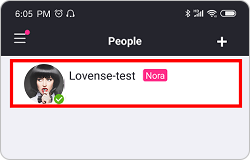
3. Go to the “Long Distance” tab and open the chat window for the partner you want to use Live Control with. If you don’t see the contact in the list, tap “+” and send a friend request first.
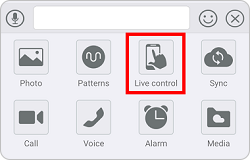
4. Tap “Live Control” to send your partner a Live control request. After they accept it, you will be able to control their toys.
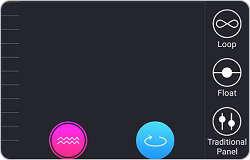
5. Tap  icon to activate the vibration. Tap
  icon to activate the rotation (for Nora only). Tap
  icon to activate to contraction (for Max only).
6. Enjoy a new experience with our Live Control feature!